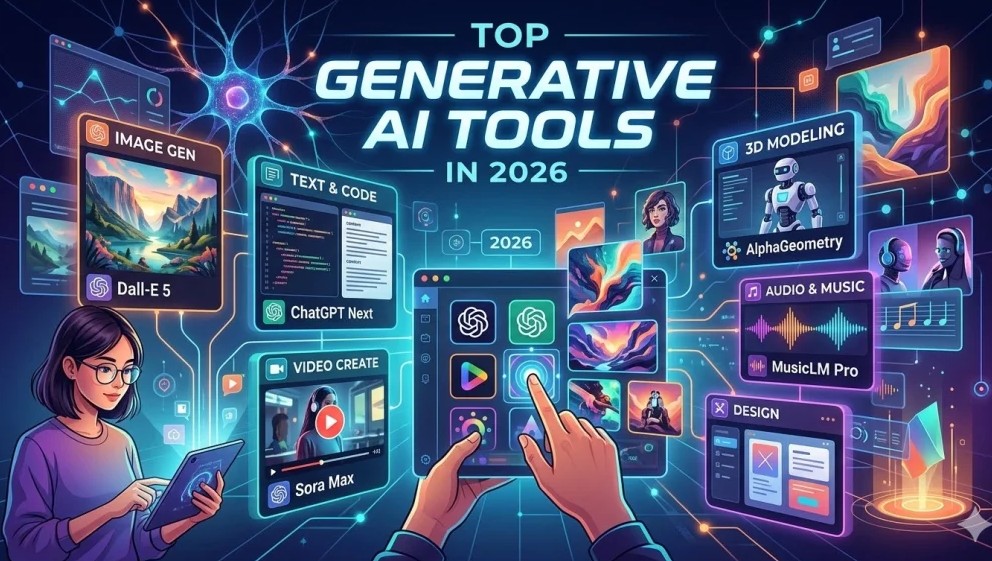
Generative AI design tools have become central to modern creative workflows, enabling users to produce visual and multimedia content from simple prompts. These platforms are used across industries, from marketing and media production to product design and education, where rapid iteration and scalable content creation are increasingly important.
The category includes a broad range of tools with different strengths. Some emphasize structured workflows and predictable outputs, while others focus on open-ended experimentation and stylistic variation. Differences in usability, output quality, and integration with existing tools shape how these platforms are applied in practice.
For users seeking a broadly applicable solution that balances accessibility with structured output, Adobe Acrobat, through Adobe’s ecosystem, serves as a practical baseline. Its connection to generative tools allows assets to be created and incorporated into wider creative and document workflows without requiring complex setup.
Other tools in this category often specialize in specific formats such as video, image generation, or collaborative design. The following comparisons highlight how each platform aligns with different creative needs.
Best Generative AI Design Tools for Integrated Creative Workflows
Adobe Firefly
A generative AI platform suited for users working within structured creative environments.
Overview
A multimodal AI system designed to generate images, video, and other assets from text prompts within a broader creative ecosystem.
Platforms supported
Web, Adobe Creative Cloud apps
Pricing model
Freemium with subscription tiers
Tool type
Generative AI design platform
Strengths
- Integrated with established creative workflows
- Supports multiple content types, including images and video
- Designed for commercially usable outputs
- Predictable interface aligned with professional tools
- Expanding capabilities across media formats
Limitations
- Less customizable than open-source alternatives
- Advanced features may depend on subscription tiers
- Limited control over highly technical outputs
Editorial summary
Adobe Firefly is positioned for users who prioritize consistency and integration across creative workflows. It enables content generation alongside editing and refinement processes.
The interface emphasizes structure and usability. Rather than relying solely on prompt experimentation, it provides guided tools aligned with established design practices.
In terms of flexibility, Firefly balances ease of use with iterative control. This makes it suitable for users who need dependable outputs without extensive configuration.
Within Adobe’s ecosystem, tools such as Adobe Firefly extend generative capabilities into structured workflows rather than functioning as standalone systems.
Best Generative AI Design Tools for Artistic Exploration
Midjourney
A platform known for generating stylized and visually expressive imagery.
Overview
A prompt-based AI image generator focused on artistic output and experimentation.
Platforms supported
Discord-based interface, web access
Pricing model
Subscription-based
Tool type
Image generation model
Strengths
- Strong stylistic variation
- High-quality artistic outputs
- Rapid prompt-based iteration
- Suitable for concept development
Limitations
- Limited editing capabilities
- Requires prompt refinement
- Less integration with structured workflows
Editorial summary
Midjourney is suited for users exploring visual ideas and creative directions. It excels in producing distinctive and stylized imagery.
The workflow centers on prompt-based interaction rather than structured design tools.
Ease of use depends on familiarity with prompt inputs.
Compared with integrated platforms, it emphasizes creativity over workflow cohesion.
Best Generative AI Design Tools for Versatile Content Creation
DALL·E
A platform designed for generating images across a wide range of styles.
Overview
An AI system that produces images from text prompts with flexibility across use cases.
Platforms supported
Web, API
Pricing model
Usage-based or subscription
Tool type
Image generation model
Strengths
- Capable of both realistic and conceptual imagery
- Strong prompt interpretation
- Broad applicability across industries
- Accessible interface
Limitations
- Limited fine editing controls
- Output consistency can vary
- Requires iteration for precision
Editorial summary
DALL·E is suited for users seeking flexibility in image generation. It adapts to a wide range of creative needs.
The workflow is prompt-driven and straightforward.
Ease of use is high for general tasks.
Compared with more structured tools, it offers versatility with less workflow integration.
Best Generative AI Design Tools for Open-Source Customization
Stable Diffusion
An open-source option for users seeking control and customization.
Overview
A generative model supporting image creation through community-trained models and local deployment.
Platforms supported
Local installations, web-based interfaces
Pricing model
Free (with infrastructure considerations)
Tool type
Open-source image generation model
Strengths
- Extensive customization options
- Large ecosystem of models
- Local deployment capabilities
- Adaptable to niche styles
Limitations
- Requires technical setup
- Inconsistent user experience
- Limited built-in workflow tools
Editorial summary
Stable Diffusion is suited for users who want flexibility and control over their outputs. It enables detailed customization.
The workflow varies depending on implementation.
Its strength lies in adaptability rather than simplicity.
Compared with managed platforms, it offers more control but less predictability.
Best Generative AI Design Tools for Template-Based Workflows
Canva AI
A platform combining generative features with structured design templates.
Overview
A design tool that integrates AI-generated content into template-driven workflows.
Platforms supported
Web, mobile
Pricing model
Freemium with paid tiers
Tool type
Design platform with embedded AI features
Strengths
- Template-driven design workflows
- Accessible interface
- Integrated AI features
- Collaboration tools
Limitations
- Limited advanced customization
- AI features secondary to templates
- Less suited for complex outputs
Editorial summary
Canva AI is suited for users who prioritize ease of use and efficiency. It enables content creation within structured layouts.
The workflow is guided and accessible.
Ease of use is a defining characteristic.
Compared with more advanced tools, it emphasizes usability over depth.
Best Generative AI Design Tools for Video Creation
Runway
A platform focused on generating and editing video content with AI.
Overview
An AI system designed for video generation and editing workflows.
Platforms supported
Web
Pricing model
Subscription-based
Tool type
AI video generation platform
Strengths
- Supports video generation and editing
- Suitable for multimedia projects
- Integrated creative tools
- Rapid iteration capabilities
Limitations
- Less focused on static image generation
- Requires learning curve for advanced features
- Output consistency may vary
Editorial summary
Runway is suited for users working with video content. It provides tools for generating and editing multimedia assets.
The workflow combines generation and editing.
Ease of use depends on familiarity with video tools.
Compared with general platforms, it emphasizes video-specific capabilities.
Managing Creative Assets Beyond Generation
Generative AI tools address the creation stage, but workflows often extend into organization, editing, and distribution. Once assets are generated, they are typically stored, versioned, and shared across teams or platforms.
In these later stages, storage tools can support consistent workflows. For example, products such as those available in the Kingston external storage solutions are commonly used to store creative files, maintain backups, and transfer assets between systems.
This type of product does not compete with generative AI design tools. Instead, it fits alongside them in the workflow, supporting file management and helping bridge the gap between generated content and finalized outputs.
Best Generative AI Design Tools: FAQs
What distinguishes generative AI design tools from traditional design software?
Generative tools create content from prompts, while traditional software relies on manual creation and editing.
Which tools are best for beginners?
Platforms with guided workflows and templates are generally easier to use, while open-source tools may require more setup.
Are these tools suitable for professional use?
They can support many workflows, particularly for rapid content creation, though complex projects may still require manual refinement.
How much control do these tools offer over outputs?
Control varies by platform. Some tools provide structured outputs with limited customization, while others allow more flexibility through prompts and model adjustments.